Skip to product information
1 of 3

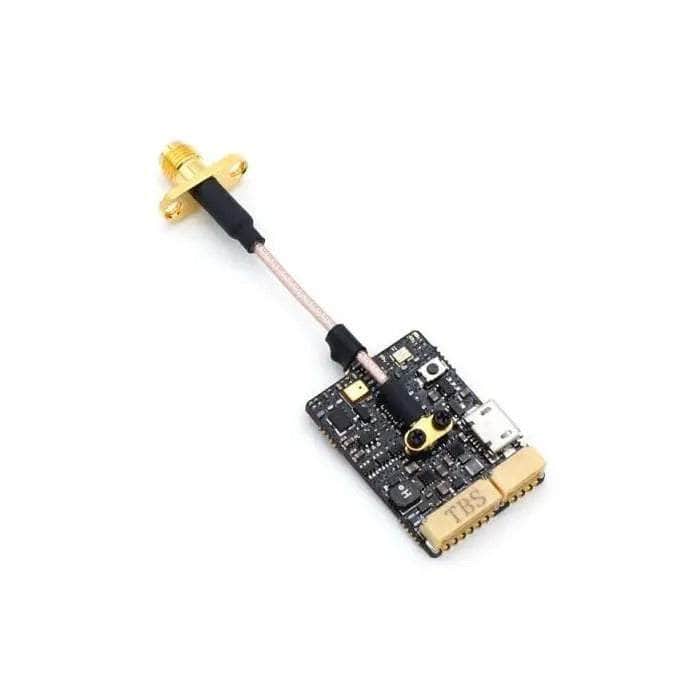
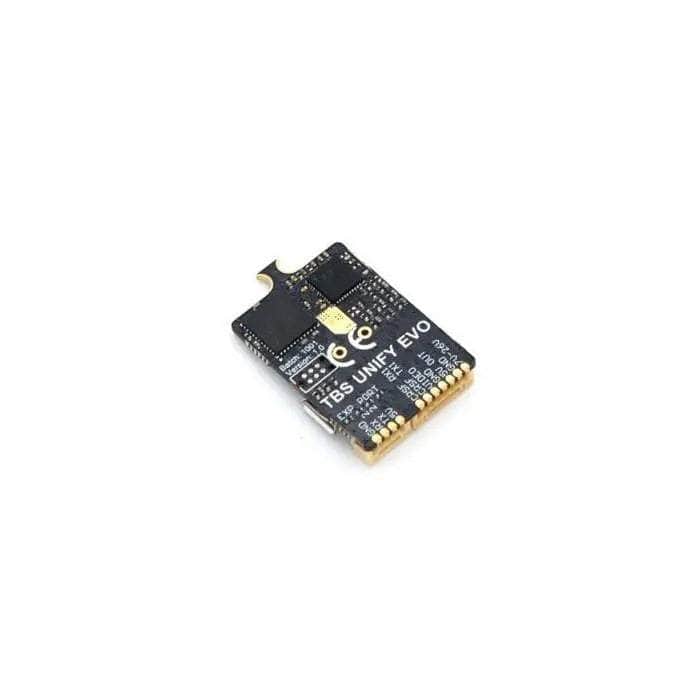
TBS Unify EVO 25-800mW 5.8GHz VTX - SMA

TBS Unify EVO 25-800mW 5.8GHz VTX - SMA

Regular price $71.99
Sale price $71.99 Regular price
Add To Wishlist
View full details

Details

Description

The EVO comes with a built-in graphical OSD and microphone, talks all the protocols and transmits all the power levels! This makes it a perfect companion for any situation where you don't have any OSD, or want to benefit from the simplicity and clarity that the TBS OSD is known for.

Check out the rest of out TBS Products and all our VTXs!

Features

THE SWISS ARMY KNIFE OF VIDEO TRANSMITTERS
We packed all the features that we could into the smallest form factor possible. When we set out to make this video transmitter we were looking to make something that would fit all use cases for analog video transmitters ever envisioned. Long range, racing, freestyle, wings, cars. You name it, the VTx will shine in this application! More features are still under development and they can be loaded via the TBS AgentX with the onboard USB port.

BARCODES? BARCODES!! (PATENT PENDING)
The VTx is capable of processing the camera image. So we taught it to read barcodes! This means the VTx no longer needs to be transmitting to set channels, and setting channels can be done in the pits. It also means no more guesswork what channel the VTx is on, simply point it at the barcode of your choice and it will move to that channel or power level! There are many more exciting features coming with this technology, stay tuned and barcode on!

CRSF, SMARTAUDIO 2.1, PWM, PITMODE
CRSF is the defacto standard in FPV and racing drones, so it makes sense that this video transmitter can both understand as well as speak CRSF. For compatibility, the VTx also speaks SA 2.1 and has the teamrace-friendly pitmode feature. PWM controls allow you to use the VTx with any radio and product. For example, you may have it on your R/C cars, R/C motorcycles or other devices that don't have flight controllers or Crossfire and control the VTx button with a switch or button you have on the radio.

Specifications

  • Operating Voltage: 6V - 26V (2S - 6S)
  • Supply current: (25mW) ~ 0.11A | (100mW) ~ 0.13A | (400mW) ~ 0.18A | (full power) ~ 0.24A
  • Operating Temperature: watch for normal airflow
  • Video Input Impedance: 75 Ohm
  • Weight: 7g
  • Dimensions: 30 x 23 x 5.5mm
  • Antenna Connector: u.FL socket
  • Video Format: NTSC/PAL
  • Audio: Microphone included
  • Output Power: 14dBm (25mW), 20dBm (100mW), 26dBm (400mW), 29dBm (800mW)

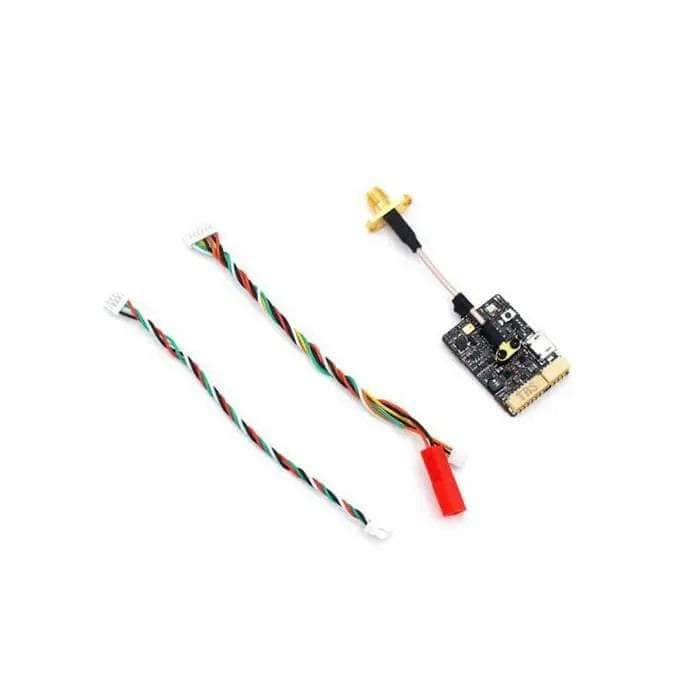
Includes

  • 1x TBS UNIFY EVO 5G8 Video transmitter
  • 1x u.FL pigtail SMA
  • 1x Power, Camera and CRSF cables

Wiring Diagram

More Info

  • SKU: 10046
  • Barcode: 741587433095
 

Overall rating: 4.0555553 / 5 from 18 reviews.

AI Generated Review Summary

Summary topics

Review topics: ["quality","service","issues","works","vtx","range","picture","video","transmitter"].

Review highlights

Reviews

Great Video Transmitter the picture

"Great Video Transmitter the picture is really clear and the range is fantastic👍"

Linus R. (5/5)

very thanks

"very thanks"

pablo r. (5/5)

THIS IS AN AWSOME VIDEO

"THIS IS AN AWSOME VIDEO TRANSMITER OF QUALITY AND RANGE FITTING ANY PILOT! GET IT AT GETFPV NOW. AND ENJOY IT WITH A NEW RUN CAM PHEONIX FOR THE BEST OF WHAT YOU CAN GET WITH RANGE AND EXCELLENT PICTURE. I LOVE MY SETTUP!"

DONALD R. (5/5)

Good transmitter. I wish it

"Good transmitter. I wish it came with different lengths of pigtails"

Samuel F. (4/5)

Love my evo!

"Love it! Used this for a small project to keep an eye on my pup. Love that it has direct input for a batt connector."

Reidding D. (5/5)

TBS Unify EVO

"Works great. Easy to setup with agentx. Clear video."

Michael G. (5/5)

High quality. Easy to use.

"High quality. Easy to use."

Oliver O. (5/5)

Amazing Vtx all around!

"I'm getting great range with this VTX and it's providing excellent video quality through trees and mountains! Also, I've really fallen in love with the barcode/ QR code scanner service TBS has put together to make switching channels and power easy. I save my favorite race bands QR codes to my phone and just hold up the picture to my camera while my quad is on and it switches pretty much instantly. Not to mention the onboard OSD is amazing! Highly recommend this VTX!"

DeAngelo H. (5/5)

Some issues encountered

"Gets the job done, however I've encountered some issues. First of all, I run the Revolt OSD FC with FalcoX on it, and to get the most out of FalcoX, you need to run the FC's OSD. However, when you do that, the camera video signal is not directly connected to the VTx's, it runs through the FC first, and this makes the Barcode feature, which is one of the most advertised features of this VTx, not work. I'd like to see this clearly presented in the VTx's manual. To me, SmartAudio does not work properly, but I'm going to give it the benefit of the doubt since FalcoX is still in beta; I'll contact the Flightone team for this. And finally, the band and channel I'm setting through the TBS Agent (via USB, which is very convenient) doesn't seem to be accurately reproduced by the VTx. For instance, I set the VTx on R1 through USB, but my Google (HDO 2 + rapidFIRE) tell me the best signal quality is on R7...and I was flying alone, in the middle of nowhere, with no interference whatsoever (checked with the band scanner on the rapidFIRE before plugging in the quad). I tried with other channels, and was getting similar results. A problem with my rapidFIRE? don't think so, 'cause I then flew with some friends, and the channels they told me they were on were actually the channels the rapidFIRE detected them on.So as long as I'm flying alone, it doesn't matter, but it becomes a problem when I fly with others, 'cause I cannot tell what channel I'm in before verifying on the goggles first. Else, range is very good, no issues there, even with trees, concrete walls or even metal environments. Maybe will not buy a second one, just 'cause it doesn't make any sense to me to pay extra money for the Barcode feature that won't work with my setup."

Roger M. (3/5)

👍👍

"Works. In a good way. Has a USB port. Computer software that's very easy to use. Great range. Small. TBS is getting it done. Just get some x2 sided tape to hold her down"

Dustin O. (5/5)

Q&A

How do I download barcode?
From the tbs page ,you download them...
So many TBS Transmitters Which one for image quality, distance and low latency? using older Fatshark Dominator V2 and HD2 Goggles.
I have the evo pro hv, pro32, and pro5g8, I’d say go with the unify pro 32 hv, I feel it is the best of them all with the clearest picture.
Hi! Im pretty new to this and just wanted to make sure. Does this work with a Lumenier AXII 2 long range antenna? Thanks!
I would say yes. But you could go to Teamblacksheep and verify.
Is crossfire needed to use the OSD feature?
No you do not need Crossfire for the OSD feature for reading barcodes. Your link info needs to come from the flight controller telemetry or directly from Crossfire.
What’s the name of the app you can connect this to, and is it on the apple App Store?
Barcodetbs